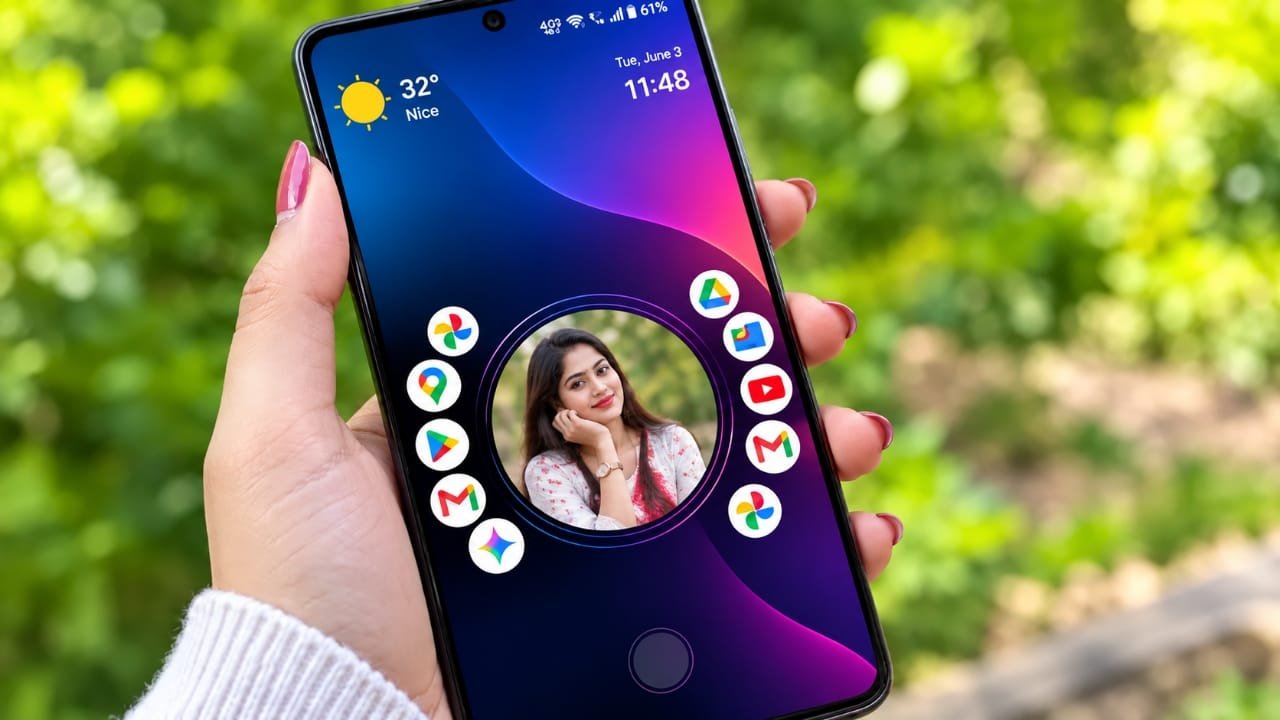
Android is known for giving users plenty of freedom to customize their devices. You can change wallpapers, icons, widgets, and even replace the entire home screen with a different launcher. While these options are great, too many visual elements can sometimes make a phone feel crowded and distracting.
If you enjoy a simple and organized interface, Nocebo Launcher offers a different approach. Instead of filling your home screen with unnecessary extras, it focuses on keeping everything clean, easy to access, and comfortable for everyday use.
Advertisements
In this article, we’ll explore what Nocebo Launcher is, its main features, how it can improve your Android experience, and what you should know before installing it.
Also read: E2PDF Review: A Simple App to Back Up Your Important Phone Data
What Is Nocebo Launcher?
Nocebo Launcher is a home screen replacement for Android devices. Like other launchers, it changes how your home screen, app drawer, and navigation appear without modifying the Android operating system itself.
Its main goal is to create a neat and distraction-free environment where important apps are easy to find and everyday tasks become simpler.
A Minimalist Approach
Many launchers include countless animations, widgets, and customization options. While these features can look attractive, they may also make the interface feel busy.
Nocebo Launcher follows a minimalist design philosophy. Instead of adding more elements, it focuses on reducing unnecessary clutter so users can enjoy a cleaner and more organized home screen.
For people who prefer simplicity, this style can make daily phone use feel more comfortable.
Why a Clean Home Screen Matters
It’s easy to fill a smartphone with dozens or even hundreds of apps. Over time, shortcuts, notifications, and widgets can make the home screen harder to manage.
A simple layout offers several benefits:
- Important apps are easier to locate.
- Navigation feels more organized.
- The screen looks cleaner and less distracting.
- Daily tasks become quicker to complete.
Rather than searching through multiple pages, users can keep only their most-used apps within easy reach.
Better Focus Throughout the Day
The way your phone is organized can influence how you use it.
A minimal home screen encourages you to open your phone with a purpose instead of getting distracted by unnecessary icons or apps. Whether you’re replying to messages, checking email, making calls, or taking notes, having fewer visual distractions can make the experience feel more focused.
While a launcher cannot eliminate distractions completely, a cleaner interface may help create better digital habits.
Personalize Your Android Your Way
One of Android’s biggest strengths is customization, and launchers play a major role in that experience.
Nocebo Launcher gives users an alternative to the default interface found on many smartphones. Combined with a simple wallpaper and clean icon arrangement, it can create a modern appearance without making the screen feel overloaded.
Available customization features may vary depending on your Android version, device model, and the app’s latest release, so it’s always a good idea to review the current version before installing it.
Everyday Performance
Since the launcher is always running in the background, its usability is important.
A lightweight and uncluttered interface can often feel smooth during daily use because there are fewer visual elements competing for attention. However, actual performance depends on several factors, including:
- Your phone’s hardware
- Android version
- Available memory
- Background apps
- Device optimization
Because every smartphone is different, your experience may vary.
Privacy and Safety Tips
Whenever you install a third-party launcher, it’s important to follow basic security practices.
Before installing Nocebo Launcher:
- Review the permissions requested by the app.
- Only allow permissions that are necessary for the features you plan to use.
- Download apps from trusted sources.
- Keep both Android and your installed apps updated whenever possible.
These simple steps can help improve both security and overall reliability.
Device Compatibility
Android phones from different manufacturers often include their own software customizations. Because of this, launcher behavior may not be identical on every device.
Before installing, consider checking:
- Device compatibility
- Supported Android versions
- Recent app updates
- User reviews and feedback
Doing so can help you determine whether the launcher is a good match for your smartphone.
Who Might Like Nocebo Launcher?
Nocebo Launcher may be a good choice for users who:
- Prefer a simple and uncluttered home screen.
- Enjoy clean, modern designs.
- Want quicker access to frequently used apps.
- Like experimenting with Android customization.
- Want an alternative to the default launcher.
On the other hand, users who enjoy heavy animations, advanced widgets, or highly customized visual effects may prefer launchers that offer more extensive features.

Also read: Neon LED Volume – Volume Style: Give Your Android Volume Panel a Fresh New Look
Final Thoughts
Nocebo Launcher takes a different approach to Android customization by focusing on simplicity instead of adding more visual effects. A clean layout can make everyday navigation feel more organized and help users concentrate on the apps they use most.
If you’re looking for a fresh, minimalist home screen experience, Nocebo Launcher is worth exploring. As with any Android launcher, it’s a good idea to check compatibility, review permissions, and choose the setup that best fits your personal preferences.

I am a passionate Tech Writer with strong industry experience. I enjoy exploring the latest technological innovations and sharing clear, helpful insights with my audience.”
Advertisements