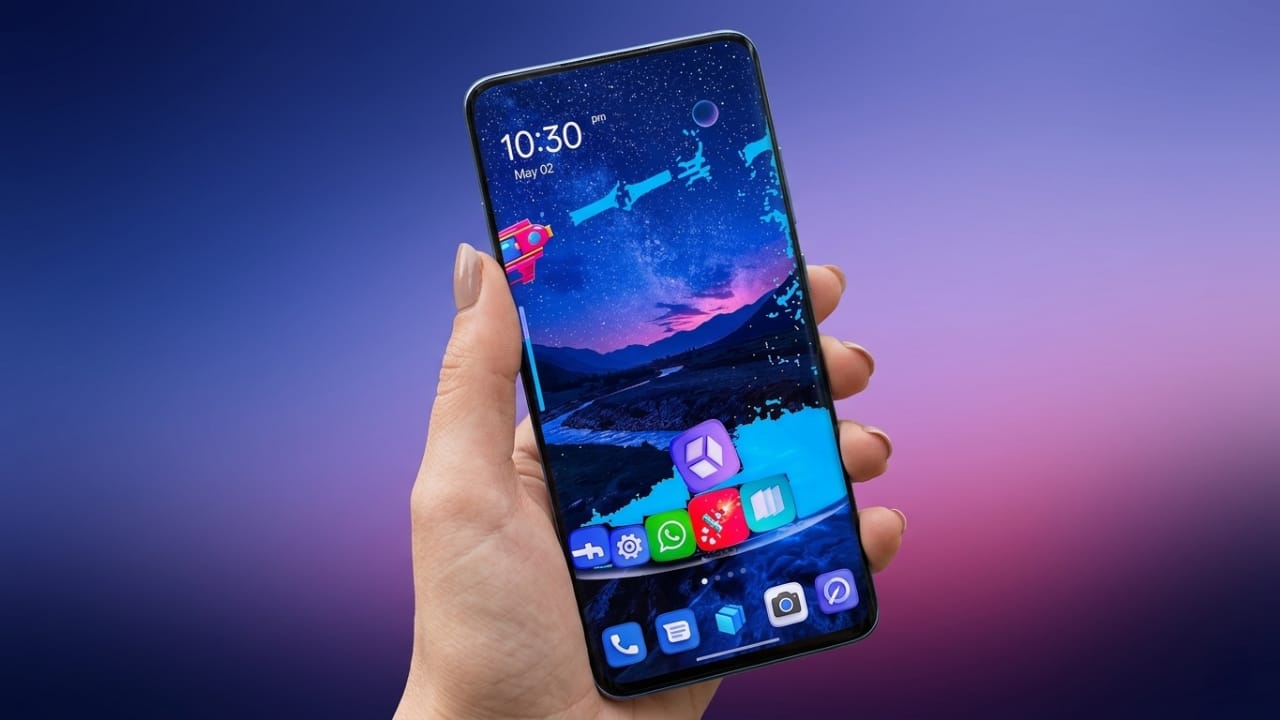
Your smartphone is something you use every day, so it should match your personal style. A customized home screen not only looks better but can also make your phone easier and more enjoyable to use. If you’re looking for a simple way to refresh your Android device, GO Launcher S is worth exploring.
GO Launcher S is an Android launcher designed to give your phone a fresh appearance without making it feel slow or overloaded. It offers attractive themes, high-quality wallpapers, and several customization options to help you create a home screen that suits your preferences.
Advertisements
Also read: Orbit Launcher Review: Give Your Android Phone a Modern and Futuristic Look
What Is GO Launcher S?
GO Launcher S is a launcher application for Android devices that lets you change the look and feel of your phone. Instead of using the default interface, you can personalize icons, wallpapers, screen layouts, and transition effects.
The app is designed to be lightweight, making it suitable for many Android devices while providing a smooth user experience.
Key Features of GO Launcher S
1. Stylish 3D Themes
One of the biggest attractions of GO Launcher S is its collection of 3D themes. These themes can completely transform the appearance of your home screen.
Some highlights include:
- Animated visual effects
- Creative icon designs
- Modern interface styles
- Fresh and unique layouts
If you enjoy changing your phone’s look regularly, you’ll find plenty of design options.
2. Large Collection of HD Wallpapers
The app includes a wide variety of high-resolution wallpapers for different tastes.
Popular wallpaper categories include:
- Nature
- Abstract art
- Minimal designs
- Dark backgrounds
- Colorful patterns
You can apply a wallpaper with just a few taps and update your home screen whenever you like.
3. Smooth Performance
A good launcher should improve your experience without slowing down your device. GO Launcher S is designed to run efficiently on many Android phones.
Benefits include:
- Lightweight installation
- Optimized performance
- Responsive navigation
- Efficient resource usage on compatible devices
Performance may vary depending on your phone’s hardware and software version.
4. Privacy Features
GO Launcher S also includes privacy-related tools that can help organize and protect your apps.
Depending on the version available for your device, you may find features such as:
- App hiding
- Password or pattern protection
- Additional privacy settings
Always review the latest app description for the exact features available.
5. Flexible Customization
The launcher gives you many ways to personalize your device.
You can customize:
- Icon size
- Home screen grid layout
- Transition animations
- Theme appearance
- Wallpaper selection
These options let you create a home screen that fits your style.
6. Smart Tools
GO Launcher S also includes useful tools that make daily navigation easier.
Some features may include:
- Smart app organization
- Search shortcuts
- Gesture controls
These tools can help you access apps more quickly and keep your home screen organized.
Why Choose GO Launcher S?
There are many Android launchers available, but GO Launcher S stands out for users who want both appearance and functionality.
Some reasons people choose it include:
- Easy setup for beginners
- Attractive themes and wallpapers
- Multiple customization options
- Lightweight design
- Regular updates with new content
How to Get Started
Using GO Launcher S is straightforward.
- Download and install the app from the Google Play Store.
- Open the launcher after installation.
- Set it as your default launcher if you want to use it regularly.
- Browse the available themes and wallpapers.
- Adjust the settings to personalize your home screen.
Within a few minutes, your Android device can have a completely refreshed look.
Who Should Try GO Launcher S?
This launcher may be a good choice for users who:
- Enjoy customizing their Android phone.
- Want a fresh home screen design.
- Prefer a lightweight launcher.
- Like experimenting with themes and wallpapers.
- Want more control over their device’s appearance.
Tips for a Better Experience
To get the most from GO Launcher S:
- Choose a simple theme if you prefer smoother performance.
- Disable visual effects you don’t use.
- Keep your launcher updated.
- Remove unused widgets from the home screen.
- Restart your device occasionally for optimal performance.

Also read: Alpha Hybrid Launcher Settings: Customize Your Android Home Screen Easily
Final Thoughts
GO Launcher S is a useful Android launcher for anyone who wants to give their phone a new look without spending much time on customization. Its combination of themes, wallpapers, personalization tools, and user-friendly interface makes it a popular option among Android users.
If you enjoy customizing your smartphone and want a cleaner, more personalized home screen, GO Launcher S is worth trying. Before installing, review the latest app details on the Google Play Store to ensure its features meet your needs and are compatible with your device.

I am a passionate Tech Writer with strong industry experience. I enjoy exploring the latest technological innovations and sharing clear, helpful insights with my audience.”
Advertisements