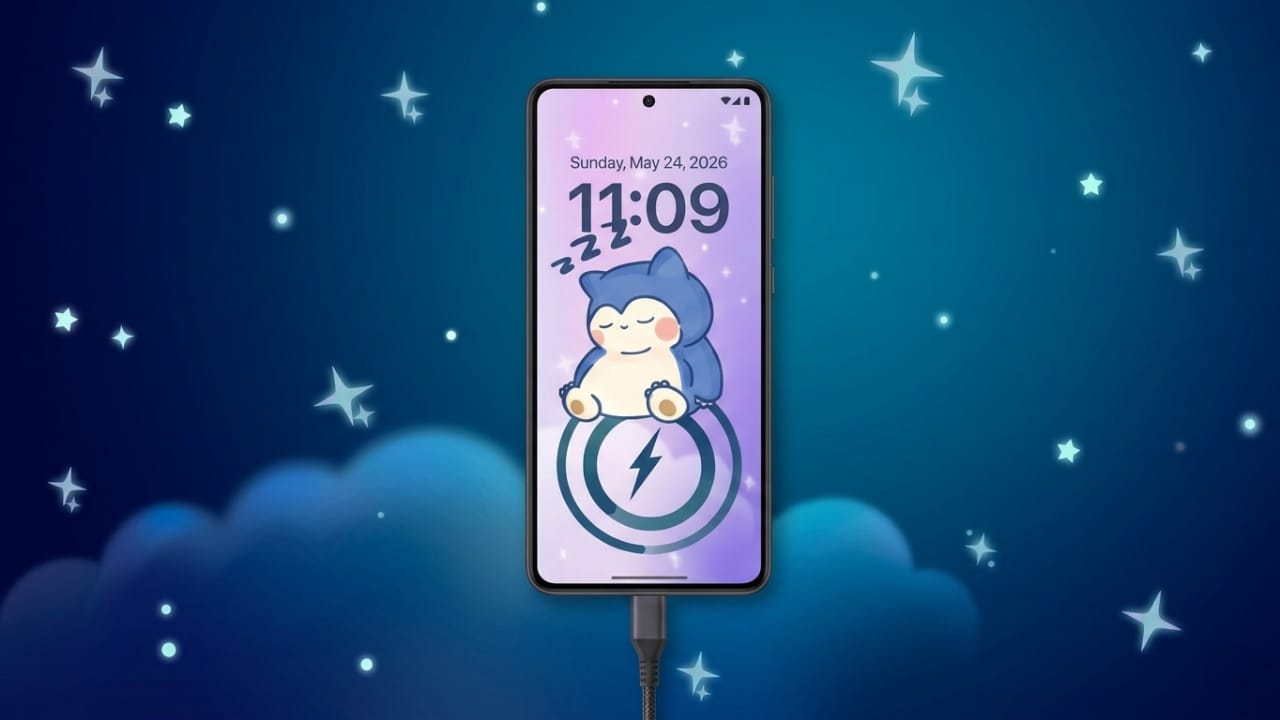
Many Android users now prefer a phone setup that feels personal and visually attractive. From custom wallpapers to widgets and icon packs, people enjoy changing the look of their devices to match their style.
One area that has also become popular is charging screen customization. Most Android phones still use simple charging animations and basic battery icons. Because of this, many users look for apps that can make the charging experience more stylish and modern.
Advertisements
One such app is DIY Battery: 3D Charge & Emoji, which offers custom charging animations, animated battery themes, and different visual effects for Android devices.
Also read: Best 3D Live Wallpaper Apps for Android With Clock, Battery & Charging Effects
What Is DIY Battery: 3D Charge & Emoji?
DIY Battery: 3D Charge & Emoji is an Android customization app designed to change the appearance of charging screens and battery indicators.
The app includes features such as:
- Custom charging animations
- Animated battery styles
- Emoji charging effects
- RGB and neon battery themes
- Personalized charging visuals
Instead of the default charging icon, users can display animated designs and themed effects when connecting the charger.
Charging Animation Features
The main feature of the app is its charging animation system. Users can choose different animation styles to appear automatically when the phone starts charging.
Available options may include:
- 3D charging animations
- GIF-based effects
- Neon-style charging visuals
- Emoji animations
- Video charging screens
These effects can make the charging screen look more creative and visually appealing.
Battery Theme Customization
The app also allows users to change the look of battery indicators and charging visuals.
Some customization options include:
- RGB battery effects
- Animated battery icons
- Stylish percentage displays
- Neon battery themes
- Dynamic charging indicators
This helps users give their phones a more customized appearance compared to the standard Android battery design.
DIY Personalization Options
A major reason many people use these apps is the flexibility they provide.
Users can often:
- Add personal photos
- Use custom videos
- Create unique charging themes
- Design personalized battery animations
This makes it possible to create charging screens that feel different from the default themes available on most smartphones.
Live Effects and Visual Enhancements
The app also includes visual effects that appear during charging.
Some examples are:
- Glow effects
- Animated particles
- Dynamic motion visuals
- 3D charging effects
These features are mainly designed for users who enjoy aesthetic Android setups and visual customization.
Battery Information Features
Along with customization tools, the app may also display basic battery details, including:
- Current battery percentage
- Charging status
- Battery temperature
- Charging speed information
These tools can help users monitor simple charging activity while using the app.
Simple Setup Process
The app is designed to be easy for beginners to use.
Typical setup steps include:
- Install the app
- Allow required permissions
- Choose a charging animation
- Select a battery theme
- Apply the settings
After setup, the selected charging animation usually appears automatically whenever the charger is connected.
Performance and Battery Usage
Apps that use live animations and visual effects can consume more system resources than normal charging screens.
Performance may depend on factors such as:
- Animation quality
- Device hardware
- Screen brightness
- App optimization
Light animations generally use fewer resources, while high-resolution video effects may increase battery consumption or cause minor lag on older devices.
Why These Apps Are Popular
Charging customization apps remain popular because they allow users to make their phones feel more unique and visually attractive.
Users often like these apps because they:
- Improve charging screen appearance
- Add fun personalization features
- Create premium-looking effects
- Match custom themes and wallpapers
- Enhance overall device aesthetics
Many Android users enjoy customizing charging screens just like they customize home screens and lock screens.
Important Things to Know
Charging animation apps mainly focus on visual customization. Their purpose is to improve the appearance of the charging experience.
These apps generally do not:
- Increase charging speed
- Improve battery health
- Extend battery lifespan
It is always better to treat these features as cosmetic enhancements rather than performance tools.
Download Availability
Users interested in trying DIY Battery: 3D Charge & Emoji can find it on the Google Play Store.
The app includes features such as:
- Animated charging screens
- DIY battery themes
- Emoji charging effects
- 3D battery animations
- Visual customization tools
Optional Download Link:
DIY Battery: 3D Charge & Emoji
Also read: Best Android Lighter Simulator Apps With Realistic Flames and Concert Effects
Final Thoughts
DIY Battery: 3D Charge & Emoji offers a creative way to customize charging animations and battery visuals on Android devices. Features like animated charging effects, custom themes, and personalized battery styles can make the phone feel more interactive and visually interesting.
At the same time, using too many heavy effects may affect performance on some devices. A clean and balanced setup usually provides a smoother experience.
For users who enjoy Android personalization, charging customization apps can still be a fun addition to their smartphone setup.

I am a passionate Tech Writer with strong industry experience. I enjoy exploring the latest technological innovations and sharing clear, helpful insights with my audience.”
Advertisements