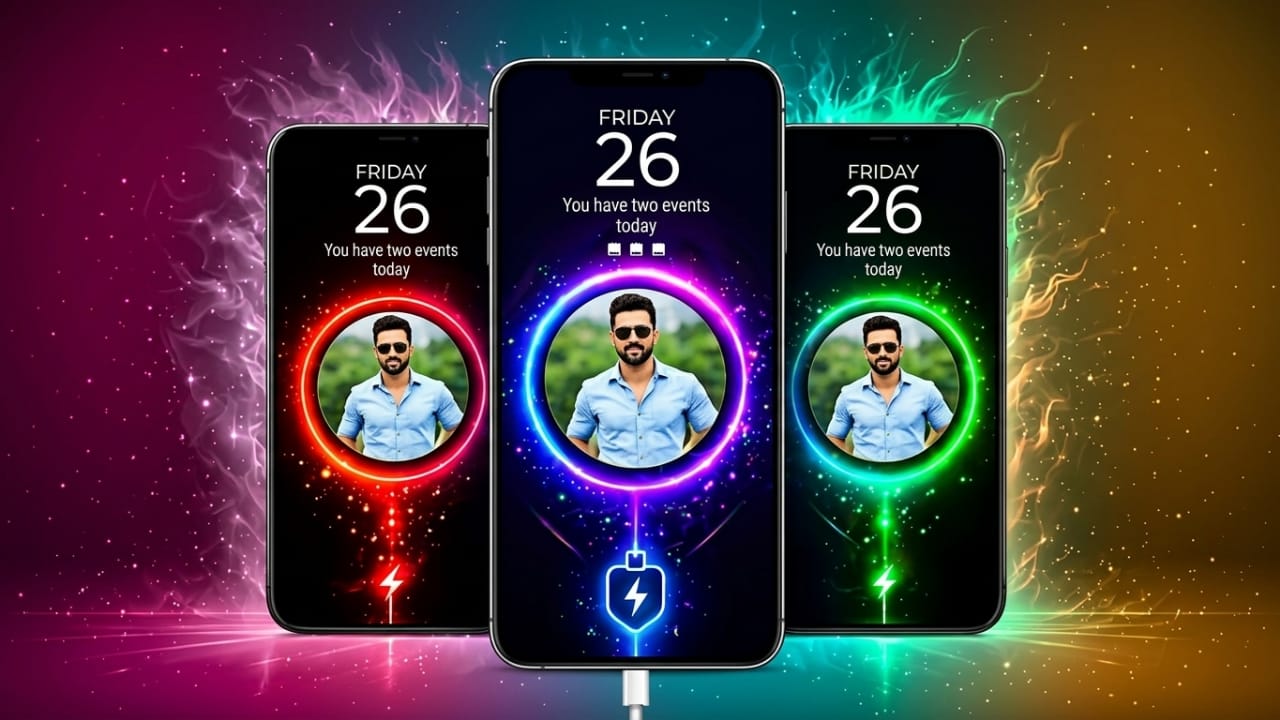
Many Android users enjoy customizing their smartphones to match their style. From wallpapers and icons to lock screens and widgets, personalization has become a big part of the smartphone experience. One area that often gets overlooked is the charging screen.
If you want to make your charging screen more attractive, Batix – Charging Photo offers a simple way to add custom photos, animated effects, and stylish themes while your device is charging.
Advertisements
Also read: Rolling Icon App: Make Your App Icons Move with Fun Gravity Effects
What Is Batix – Charging Photo?
Batix – Charging Photo is an Android personalization app that allows users to display custom charging animations whenever their phone is connected to a charger. Instead of seeing a basic battery icon, you can choose from different visual effects and even use your own photos to create a unique charging screen.
The app focuses on customization and offers a variety of themes designed to make the charging experience more visually appealing.
Why People Like This App
Most Android devices display only basic charging information by default. Batix adds extra visual elements that can make the charging screen feel more personalized and interesting.
Some reasons users choose this app include:
- Support for custom photo charging screens
- Multiple charging animation styles
- Modern neon-inspired effects
- Battery information display
- Simple setup process
- Various theme options
- Easy-to-use interface
Key Features of Batix – Charging Photo
Custom Photo Charging Screen
One of the most popular features of the app is the ability to use personal photos during charging.
You can select an image from your phone’s gallery and display it on the charging screen. This allows you to create a setup that feels more personal and unique.
Users often choose:
- Family photos
- Selfies
- Pet pictures
- Travel memories
- Favorite wallpapers
When charging begins, the selected image can appear alongside the chosen animation effect.
High-Quality Charging Themes
Batix includes a collection of visually designed charging themes that help improve the appearance of the charging screen.
Theme categories may include:
- Neon-inspired designs
- Technology-themed visuals
- RGB-style effects
- Abstract animations
- Futuristic layouts
- Premium-style themes
These themes can give the charging screen a more polished and modern appearance.
Charging Animations
The app offers multiple animation styles that activate automatically when a charger is connected.
These animations are designed to add movement and visual interest without requiring any additional setup after activation.
Battery Information Display
Along with visual effects, the app can display useful charging details directly on the screen.
Depending on the device and app version, information may include:
- Current battery percentage
- Charging status
- Charging progress
- Battery level updates
- Estimated charging information
This allows users to check important battery details at a glance.
Simple Customization Process
Batix is designed for both new and experienced Android users. Setting up a charging screen usually takes only a few steps.
Basic setup process:
- Open the app.
- Browse available themes.
- Select a preferred photo if desired.
- Choose an animation style.
- Enable the charging screen feature.
After setup, the selected design appears when the device starts charging.
Neon and Modern Effects
Neon-style visuals remain popular among Android users. Batix includes several glowing and animated effects that can create a more modern look.
These designs may appeal to users who enjoy colorful smartphone setups and gaming-inspired themes.
Smooth User Experience
Some customization apps can affect device performance if they consume too many resources. Batix is designed to provide charging animations while maintaining a smooth user experience on compatible devices.
Performance can vary depending on the phone model and system configuration.
Benefits of Using Batix – Charging Photo
Adds a Personal Touch
Using your own photos can make the charging screen feel more customized and meaningful.
Improves Visual Appearance
Stylish animations and themes can make the charging process look more engaging compared to the default charging screen.
Easy for Beginners
The interface is straightforward, making it accessible even for users who are new to Android customization apps.
Updated Theme Collection
Many personalization apps regularly introduce new themes and design options, giving users more ways to refresh their setup over time.
How to Install Batix – Charging Photo
Installing the app is simple:
- Open the Google Play Store.
- Search for “Batix – Charging Photo”.
- Tap the Install button.
- Launch the app after installation.
- Configure your preferred charging theme and settings.
Always review the app description, permissions, and user feedback before installing any application.
Who May Enjoy This App?
Android Customization Fans
Users who enjoy changing the look and feel of their phones may find the app useful.
Photo Enthusiasts
People who like displaying personal images on different parts of their device can use the custom photo feature.
Gamers
Users who prefer RGB-style effects and futuristic visuals may appreciate the available animation options.
Social Media Users
Those who enjoy sharing their phone setups and customization ideas with friends may find the app interesting.
Safety and Privacy Considerations
Before installing any app, it is a good idea to review its permissions, developer information, privacy policy, and user ratings on the Google Play Store.
Reading recent user reviews can also help you understand how the app performs on different devices.

Also read: Zipper Lock Screen: Give Your Android Phone a Fresh and Stylish Look
Final Thoughts
Batix – Charging Photo is an Android customization app that allows users to personalize their charging screen with photos, themes, and animated effects. Its combination of custom images, modern designs, and charging visuals can make the charging experience more engaging.
If you enjoy personalizing your smartphone and want a more stylish charging screen, Batix – Charging Photo may be worth exploring through the Google Play Store.

I am a passionate Tech Writer with strong industry experience. I enjoy exploring the latest technological innovations and sharing clear, helpful insights with my audience.”
Advertisements