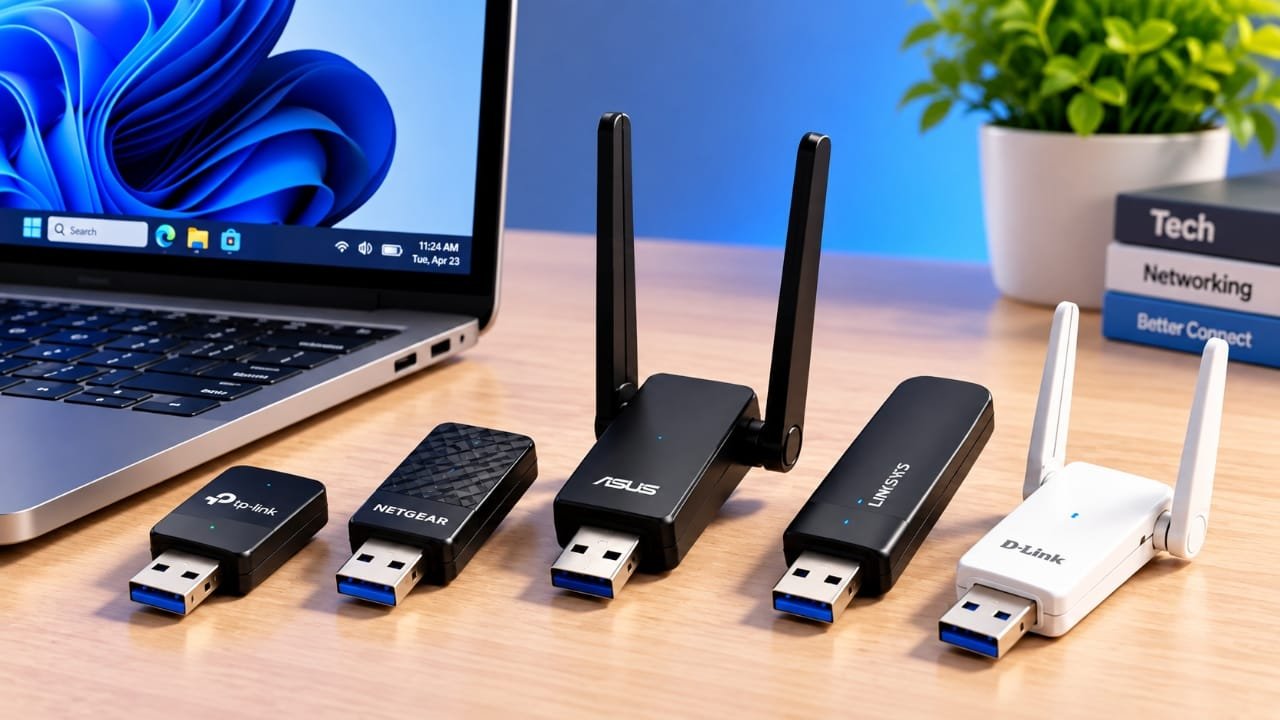
A USB Wi-Fi adapter can be an easy way to improve wireless connectivity on a computer. It is especially useful when an older laptop or desktop has weak built-in Wi-Fi.
Instead of opening the computer and installing an internal network card, you simply connect the adapter to a USB port. Depending on the model, it can offer better range, improved stability, or faster wireless speeds.
Advertisements
Some adapters are designed for desktop users who need stronger range, while compact models are better suited to laptops and travel. There are also high-performance options for gaming and video streaming.
The right choice depends on how and where you use your computer.
Also read: How to Free Up iPhone Storage Without Deleting Photos
Why Use a USB Wi-Fi Adapter?
A USB Wi-Fi adapter gives your computer another way to connect to a wireless network.
Older computers may have outdated Wi-Fi hardware or antennas that do not perform particularly well. In some cases, the internal antenna can also be affected by the computer’s surrounding components.
An external USB adapter can be positioned differently, which may help it receive a stronger signal. Models with external antennas can be particularly useful when the computer is located far from the router.
The main advantage is convenience. You do not need to install an internal wireless card, making USB adapters a practical upgrade for many users.
1. Linksys WUSB6300 – A Good All-Round Choice
The Linksys WUSB6300 is a practical option for users who want a dependable wireless connection without going for the largest or most expensive adapter.
It uses Wi-Fi 5 and supports dual-band connectivity with an AC1200 rating. Beamforming technology is also included to help the wireless connection work more effectively with compatible routers.
One of its useful qualities is performance at longer distances. It can maintain a reasonably consistent connection when the computer is placed farther away from the router.
That can be helpful for everyday browsing, video calls, and streaming from another room.
However, its performance at close range is not particularly impressive compared with faster premium adapters. Users who play competitive online games may also notice that wireless latency can still be an issue.
The adapter is somewhat larger than tiny USB models, but its overall reliability makes it a sensible choice for everyday use.
Best for: Everyday users who want a balanced combination of range and reliability.
2. Trendnet TEW-809UB – Built for Stronger Range
If wireless range is your main priority, the Trendnet TEW-809UB takes a more powerful approach.
The adapter has four external antennas and supports AC1900 dual-band Wi-Fi. It also uses USB 3.0, which is useful when taking advantage of higher wireless speeds.
The four antennas are the biggest reason to consider this model. They can help with receiving wireless signals, particularly when the computer is located farther from the router.
It also comes with a USB cable, allowing the adapter to be placed away from the computer itself. This can be useful because the adapter does not have to sit directly next to the computer’s internal electronics.
The downside is its size. Four external antennas make it much less convenient to carry around than a small USB adapter.
For this reason, it makes more sense for a desktop setup than a laptop that travels frequently.
Best for: Desktop users who want stronger wireless range and flexible antenna placement.
3. Ourlink U631 – A Compact Option for Laptops
The Ourlink U631 focuses on portability rather than maximum range.
Its small design allows it to remain connected to a laptop without taking up much space. Its low-profile shape also reduces the chance of accidentally hitting the adapter while moving the computer.
Another advantage is that nearby USB ports can generally remain accessible.
The compromise is wireless performance. Its compact design does not leave much room for a large antenna, so its range is more limited than larger adapters.
It performs best when the computer is relatively close to the router. As the distance increases, speeds can drop more noticeably.
It is suitable for basic activities such as browsing, email, and everyday internet use. Demanding gaming or high-quality streaming from a distant room may not be ideal.
The adapter supports AC600 dual-band Wi-Fi and is compatible with Windows, Mac, and Linux, although Linux users may need to perform additional configuration.
An installation CD is also included for supported systems.
Best for: Laptop users who value a small, travel-friendly design.
4. EDUP EP-AC1635 – Compact Design With an External Antenna
The EDUP EP-AC1635 offers a middle ground between a tiny USB adapter and a larger high-range model.
It includes an external antenna that can be adjusted to different positions. This gives users more flexibility than a completely internal or low-profile USB design.
Moving the antenna does not always produce a dramatic difference in performance, but positioning it away from physical obstructions can still be useful.
The adapter performs well at shorter distances and is capable of handling demanding activities such as multiple 4K streams under suitable network conditions. It can also support online gaming when the surrounding wireless network is strong enough.
It uses Wi-Fi 5 with an AC600 rating and supports both 2.4GHz and 5GHz networks.
The included driver disc can make installation easier. However, official Linux support is not available, which limits its usefulness for some computers.
It can be a practical upgrade for an older laptop using outdated Wi-Fi hardware. Users with a newer laptop may find that its built-in wireless system already performs better.
Best for: Older laptops and users looking for an affordable dual-band upgrade.
5. Netgear Nighthawk A7000 – Designed for Gaming and Streaming
The Netgear Nighthawk A7000 is aimed at users who need stronger wireless performance for demanding online activities.
It supports Wi-Fi 5 and has an AC1900 rating. Its higher performance level makes it better suited to activities such as high-definition streaming and online gaming.
Testing has shown that the adapter can maintain a useful connection across multiple floors, although actual results will depend on the router, walls, interference, and internet connection.
Setup is designed to be straightforward. Users can connect the adapter, install the required software, and enter their Wi-Fi password. A WPS button is also available for compatible routers.
The adapter can be folded, making storage somewhat easier. However, its larger body may be inconvenient when connected directly to a thin laptop.
A magnetic cradle helps solve this problem. It allows the adapter to sit beside the computer rather than directly against it. This can also provide more freedom when positioning the wireless adapter.
The main disadvantages are its larger size and higher price compared with basic USB adapters.
Best for: Users who want stronger performance for gaming, streaming, and other demanding tasks.
What Should You Look For in a USB Wi-Fi Adapter?
Buying a Wi-Fi adapter based only on its advertised speed is not always a good idea.
The router, distance, walls, interference, USB port, operating system, and adapter design can all affect the connection.
Here are the main factors worth considering.
Wireless Range Is More Than Just the Adapter
A powerful USB adapter cannot fix every range problem.
Your router still needs to provide adequate coverage. If the router’s signal is extremely weak in a particular room, changing the USB adapter may not completely solve the problem.
Larger homes may benefit more from a better-positioned router or a mesh Wi-Fi system.
For a single computer, however, a USB adapter can be a less expensive solution. An adapter connected through a USB extension cable can also be moved away from the computer and positioned where it receives a better signal.
External antennas can provide another advantage when range is important.
Dual-Band Wi-Fi Is Worth Having
Most modern users should consider a dual-band adapter.
Older single-band models generally operate on 2.4GHz. This frequency can travel relatively well through walls, but it is also commonly used by many other wireless devices.
A dual-band adapter can also connect through 5GHz. The 5GHz band can offer higher speeds and less congestion in many environments, although its range through walls is generally shorter than 2.4GHz.
Of course, the router also needs to support the appropriate band.
For most new purchases, dual-band connectivity is a more useful choice than buying a basic 2.4GHz-only adapter.
Tri-band USB adapters are much less common. Tri-band technology is more commonly found in routers and mesh systems rather than individual USB Wi-Fi adapters.
Don’t Focus Only on the Advertised Speed
Wi-Fi adapters often advertise numbers such as AC600, AC1200, or AC1900.
These figures represent theoretical wireless capabilities rather than the speed you will always receive in real-world use.
For example, an AC600 adapter may offer up to around 433Mbps on 5GHz and around 150Mbps on 2.4GHz under the relevant specifications.
Actual performance can be much lower because of distance, walls, interference, router capabilities, network congestion, and other factors.
For everyday activities, even a relatively affordable adapter can provide enough bandwidth.
A 4K streaming service may require only a fraction of the maximum speed advertised by many modern adapters.
Gamers should also pay attention to latency. A high maximum speed does not automatically mean a low-latency gaming connection.
Size and Antenna Design Matter
Small USB adapters are convenient because they are easy to carry and can remain connected to a laptop.
The tradeoff is that their small size leaves less room for larger antennas.
Adapters with external antennas can provide better flexibility when signal strength is important. Some antennas can also be adjusted to different angles.
Cable-connected models offer another useful option. You can move the adapter away from the computer, which may reduce interference and provide a better position for receiving the router’s signal.
For a desktop computer, a larger adapter is usually less of a concern. For frequent travelers, a compact model may be more practical.
Check Operating System Compatibility
Before buying an adapter, check whether it supports your operating system.
Windows generally has broad support for USB Wi-Fi adapters, but Mac and Linux compatibility can vary considerably between models.
Some adapters require separate drivers, and those drivers may not be available for every operating system.
The same rule applies to gaming consoles. Do not assume that a USB Wi-Fi adapter designed for computers will automatically work with a console.
Always check the manufacturer’s compatibility information before buying.
Your USB Port Can Also Affect Performance
The type of USB port matters, particularly with faster adapters.
USB 2.0 has a theoretical maximum transfer rate of 480Mbps, while USB 3.0 provides considerably more bandwidth.
A high-speed Wi-Fi adapter can still work when connected to an older USB port, but the USB connection may become a limitation in some situations.
For faster AC1200-class and higher adapters, using an appropriate USB 3.0 port can help avoid an unnecessary bottleneck.
That does not mean every user needs the fastest possible USB connection. For basic browsing and streaming, even an older USB connection can be sufficient.
Also read: How to Free Up WhatsApp Storage Without Deleting Your Chats
Final Thoughts
A USB Wi-Fi adapter can be a simple way to improve wireless connectivity without replacing the computer’s internal hardware.
The best option depends on what matters most to you.
If you want a balanced everyday option, the Linksys WUSB6300 is worth considering. Desktop users who need stronger range may prefer the Trendnet TEW-809UB. Travelers can benefit from the compact Ourlink U631, while the EDUP EP-AC1635 provides an external antenna in a relatively compact package.
For demanding gaming and streaming, the Netgear Nighthawk A7000 offers a higher-performance option.
Before making a purchase, look beyond the advertised Mbps number. Consider wireless range, dual-band support, antenna design, USB compatibility, operating system support, and the capabilities of your existing router.
A good USB adapter can improve a weak computer connection, but it cannot replace a properly configured router and a reliable internet connection.

I am a passionate Tech Writer with strong industry experience. I enjoy exploring the latest technological innovations and sharing clear, helpful insights with my audience.”
Advertisements