As more smartphones support eSIM technology, many Airtel users are choosing it over a traditional physical SIM card. An eSIM is built directly into your phone, so you can activate your mobile connection without inserting a plastic SIM. It is especially useful for people who travel often, switch devices, or simply want a cleaner setup.
If you have purchased a compatible smartphone and want to use Airtel eSIM, this guide explains the activation process in simple steps.
Advertisements
Also read: DeepSeek V4 Pro Launches With Better AI Features and Premium API Pricing
What Is an eSIM?
An eSIM (Embedded Subscriber Identity Module) is a digital SIM that works just like a regular SIM card but does not require any physical installation. Once activated, it allows you to make calls, send messages, and use mobile data as usual.
Many modern smartphones from Apple, Samsung, Google, Motorola, and Vivo support Airtel eSIM in India. Depending on your device, you can use an eSIM together with a physical SIM or replace the physical SIM completely.
What Is an EID?
The EID (Embedded Identity Document) is a unique 32-digit number assigned to every eSIM-compatible device. Airtel uses this number to identify your phone during the eSIM activation process.
Keep your EID private and share it only through Airtel’s official activation process.
How to Activate Airtel eSIM
Follow these steps to convert your Airtel physical SIM into an eSIM:
- Install and open the Airtel Thanks App on your smartphone.
- Sign in using your Airtel mobile number.
- On the home screen, open the Shortcuts section.
- Tap the Upgrade to eSIM option.
- Choose This Device if you’re activating eSIM on your current phone, or Another Device if you’re setting it up elsewhere.
- Enter your phone’s 32-digit EID when prompted.
- Verify your request by entering the OTP sent to your registered Airtel number.
- After submitting the request, Airtel will place a verification call. Confirm your request during the call.
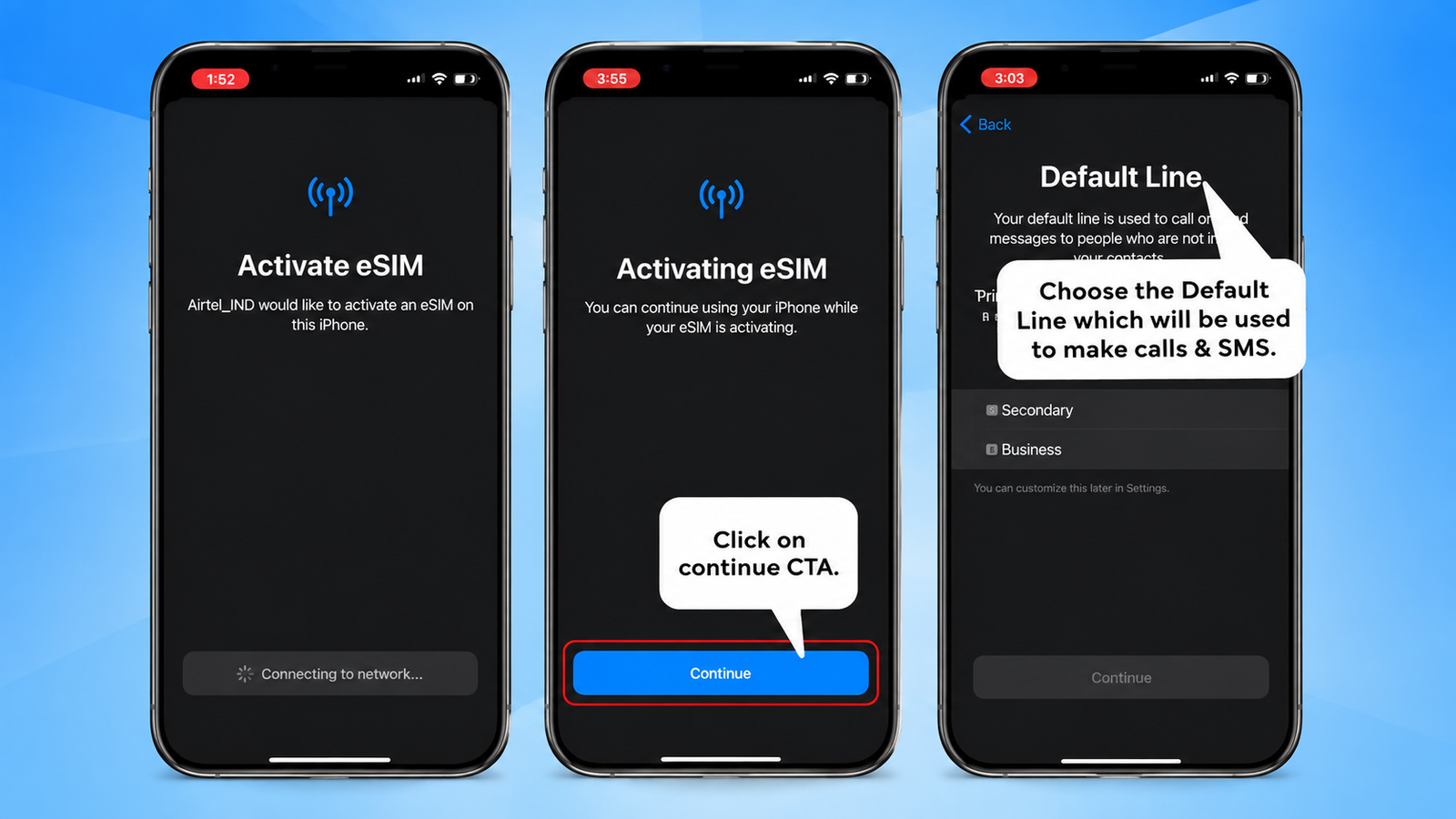
- Once approved, your eSIM profile will become available for download on your smartphone.
- Download and install the eSIM profile by following the on-screen instructions.
After the profile is installed, the eSIM is usually activated within about two hours. If you are replacing a physical SIM, enable the eSIM profile, remove the physical SIM from your phone, and restart the device.
Important Safety Tips
- Do not share your EID or verification codes with anyone.
- Complete the activation only through Airtel’s official app and verification process.
- If your eSIM-enabled phone is lost or stolen, contact Airtel customer support or visit the nearest Airtel Store for assistance.
Also read: How to Use AI Mode in Google Search for Smarter Search Results
Final Words
Airtel eSIM offers a convenient way to stay connected without using a physical SIM card. The activation process is straightforward and only takes a few steps through the Airtel Thanks App. Once activated, you can enjoy the same Airtel services while benefiting from the flexibility and convenience of digital SIM technology.

I am a passionate Tech Writer with strong industry experience. I enjoy exploring the latest technological innovations and sharing clear, helpful insights with my audience.”
Advertisements