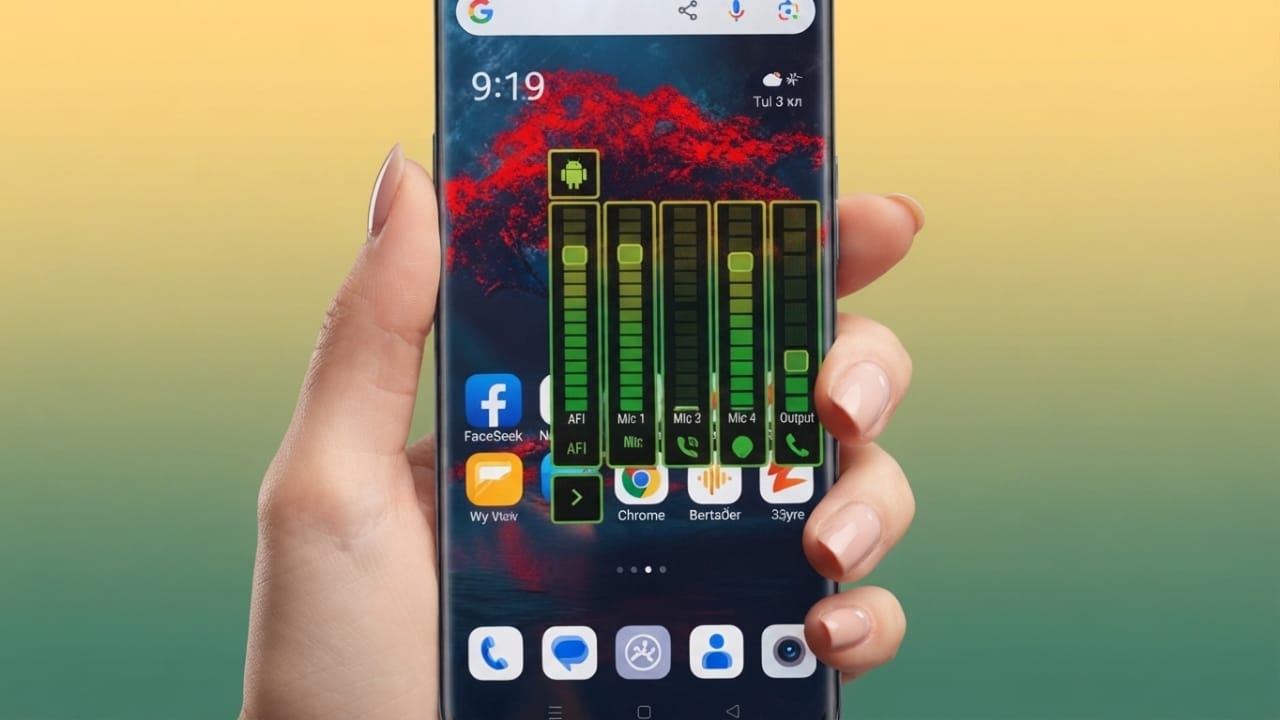
Android gives you many ways to personalize your phone. You can change wallpapers, install custom launchers, apply icon packs, and add useful widgets. But one feature that often stays the same is the volume panel. On many devices, the default volume slider looks simple and offers very little customization.
If you want to make your phone look more unique, Neon LED Volume – Volume Style is a customization app you may like. It replaces the standard volume controls with colorful neon-inspired designs, smooth animations, and customizable styles that add a fresh look to your device.
Advertisements
In this guide, we’ll look at the app’s main features, customization options, performance, and how to set it up.
Also read: Google Introduces Play Catalog Access for Third-Party Android App Stores in the US
What Is Neon LED Volume – Volume Style?
Neon LED Volume – Volume Style is an Android personalization app that changes the appearance of your phone’s default volume panel. Instead of using the standard volume slider, the app lets you choose from modern designs with glowing neon colors and animated effects.
The app focuses on improving the look of the volume controls while keeping them easy to use.
Why Customize the Volume Panel?
The volume panel is something you use almost every day. Updating its design can make your phone feel more personalized without changing the overall interface.
Some benefits of using a custom volume panel include:
- Gives your phone a fresh and modern appearance.
- Adds colorful neon-inspired designs.
- Matches your wallpaper, icons, or theme.
- Makes the interface feel more personalized.
- Provides a different look from the default Android controls.
Main Features
Neon-Inspired Volume Styles
The app includes multiple volume panel designs with glowing effects and modern styling. Every time you adjust the volume, you’ll see an updated interface instead of the standard Android slider.
Color Customization
You can choose from different colors to match your phone’s theme. Whether you like blue, green, purple, red, or other color combinations, the app provides several options for personalization.
Adjustable Layout
The app allows you to customize different parts of the volume panel, including:
- Color
- Size
- Position
- Shape
- Overall style
These settings make it easy to create a design that suits your preferences.
Smooth Animations
Volume adjustments are displayed with smooth transition effects that improve the overall appearance without making the controls difficult to use.
Easy-to-Use Interface
The app has a simple layout, making it suitable for both beginners and experienced Android users. Most customization options can be applied in just a few taps.
How to Set Up the App
Follow these steps to get started:
- Install Neon LED Volume – Volume Style from the Google Play Store.
- Open the app and allow the required permissions.
- Browse the available volume panel styles.
- Customize the colors, size, position, and animation settings if desired.
- Save or apply your selected style.
After setup, your new volume panel will appear whenever you change the device volume.
Performance
Many customization apps can affect device performance, but this app is designed to remain lightweight for everyday use.
Depending on your device and Android version, you can generally expect:
- Smooth performance
- Responsive animations
- Low memory usage
- Efficient battery consumption during normal use
Performance may vary across different smartphones.
Tips for Better Results
To make the most of the customization features:
- Use a dark wallpaper to highlight neon effects.
- Match the volume panel color with your icon pack or launcher.
- Choose simple colors if you prefer a clean look.
- Keep the app updated to access improvements and new features.
Safety Tips
Before installing any personalization app, it’s a good idea to follow a few basic precautions:
- Download apps only from the official Google Play Store.
- Review the permissions requested before granting access.
- Install updates when available for improved stability and security.
Who Is This App For?
Neon LED Volume – Volume Style may be a good choice for:
- Android customization fans
- Users who enjoy colorful interface designs
- Gamers who prefer modern-looking themes
- Content creators who like unique phone setups
- Anyone wanting to refresh the appearance of their Android device

Also read: How to Check Your Wi-Fi Speed and Improve Internet Performance
Final Thoughts
If you’re looking for an easy way to customize your Android phone, Neon LED Volume – Volume Style offers a simple solution. It replaces the standard volume controls with modern designs, colorful effects, and smooth animations while providing several customization options.
The app is easy to use, lightweight, and suitable for users who enjoy personalizing their devices. If you want your phone’s volume panel to better match your overall theme, this app is worth exploring through the Google Play Store.

I am a passionate Tech Writer with strong industry experience. I enjoy exploring the latest technological innovations and sharing clear, helpful insights with my audience.”
Advertisements