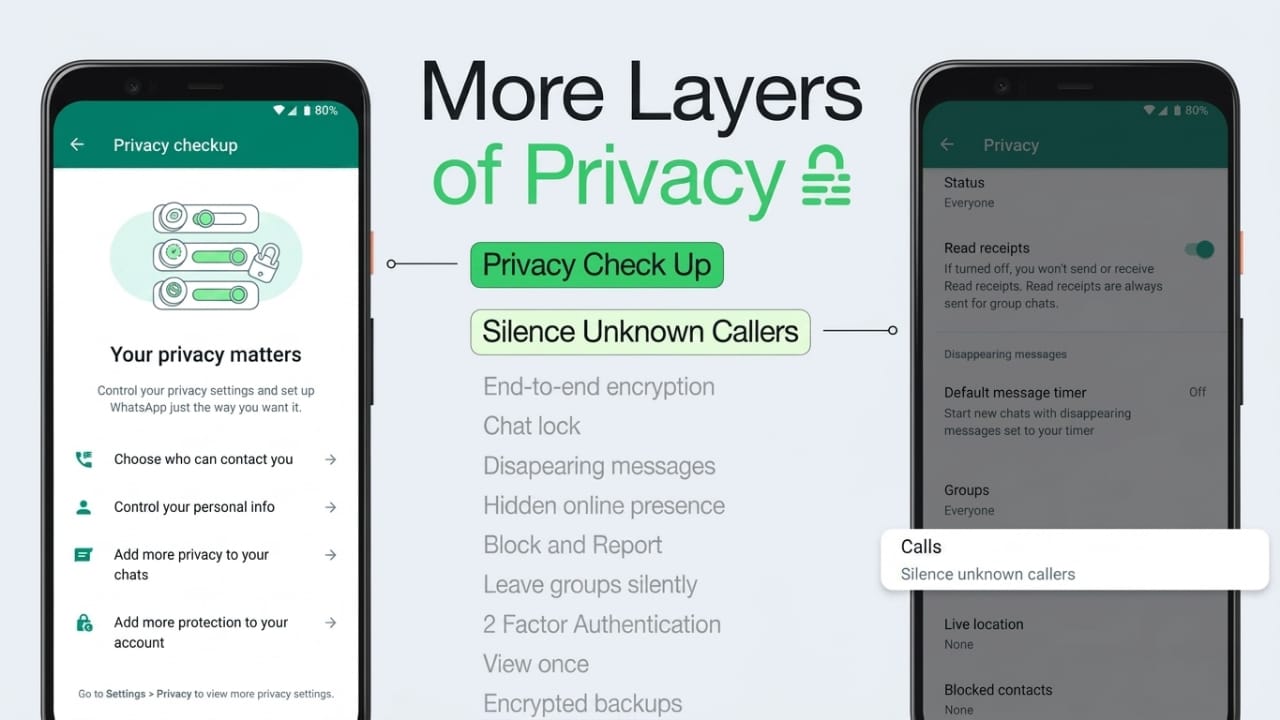
Spam calls and unknown numbers on WhatsApp can become annoying, especially when they interrupt your day repeatedly. To help users avoid these unwanted calls, WhatsApp offers a built-in privacy feature called Silence Unknown Callers.
This option helps reduce disturbances by muting calls from numbers that are not saved in your contacts. The good thing is that these callers are not completely blocked, so you can still check missed calls later if needed.
Advertisements
Here’s a simple step-by-step guide to enable the feature on both Android and iPhone.
Also read: WhatsApp May Introduce a New Liquid Glass Design for iPhone Users
What Does “Silence Unknown Callers” Mean?
When this feature is turned on, WhatsApp stops unknown numbers from ringing your phone directly. Instead of a normal incoming call alert, the call is silently sent to your Calls section and notification history.
This can help you:
- Avoid spam or scam calls
- Reduce unnecessary interruptions
- Keep your WhatsApp calls more organized
- Stay protected from random unknown numbers
However, WhatsApp does not fully block these callers. You can still view the missed calls and decide whether to respond later.
How to Silence Unknown Callers on Android
Follow these steps on your Android phone:
- Open WhatsApp on your device.
- Tap the three-dot menu in the top-right corner.
- Select Settings.
- Open the Privacy section.
- Scroll down and tap Calls.
- Turn on the Silence Unknown Callers option.
Once enabled, calls from unsaved numbers will no longer ring loudly on your phone.
How to Silence Unknown Callers on iPhone
If you use an iPhone, here’s how you can enable the feature:
- Open WhatsApp on your iPhone.
- Tap the Settings tab at the bottom.
- Go to Privacy.
- Open the Calls section.
- Enable the Silence Unknown Callers toggle.
After turning it on, WhatsApp will automatically mute incoming calls from unknown numbers.
What Happens After Enabling This Feature?
Turning on this option does not stop people from contacting you completely. Instead, WhatsApp simply prevents unknown calls from disturbing you with a ringtone.
Here’s what still works after enabling the feature:
- Missed calls remain visible in the Calls tab
- Notifications still appear inside WhatsApp
- You can return calls whenever you want
- Chats from those numbers can still continue
One important thing to remember is that if you contact the number later through a call or message, WhatsApp may treat that number as familiar. Future calls from that contact could ring normally again.
If you want to stop someone completely, you can use WhatsApp’s Block option instead.
Benefits of Using Silence Unknown Callers
This feature is useful for many users because it helps create a quieter and safer calling experience.
Main advantages:
- Reduces spam and scam calls
- Prevents random disturbances
- Keeps important calls easier to notice
- Works on both Android and iPhone
- Easy to enable or disable anytime
Also read: Fitbit Users May Soon Get Smarter AI Fitness Coaching Through Google Health
FAQs
Who counts as an unknown caller on WhatsApp?
An unknown caller is a number that is not saved in your contacts and has not interacted with you on WhatsApp before.
Does WhatsApp completely block unknown callers?
No. The feature only silences the calls. You can still see them in your call history and notifications.
Can I call back a silenced number?
Yes. You can return the call directly from the Calls section inside WhatsApp.
Will I still receive notifications for unknown calls?
Yes. WhatsApp continues showing missed call notifications even when the feature is enabled.
Can I turn the feature off later?
Yes. You can disable it anytime from the Calls settings in WhatsApp.
Conclusion
The Silence Unknown Callers feature on WhatsApp is a simple way to reduce unwanted interruptions without blocking people completely. It helps filter spam calls while still allowing you to review missed calls later.
Whether you use Android or iPhone, enabling this setting only takes a few seconds and can make your WhatsApp experience much more peaceful and organized.

I am a passionate Tech Writer with strong industry experience. I enjoy exploring the latest technological innovations and sharing clear, helpful insights with my audience.”
Advertisements