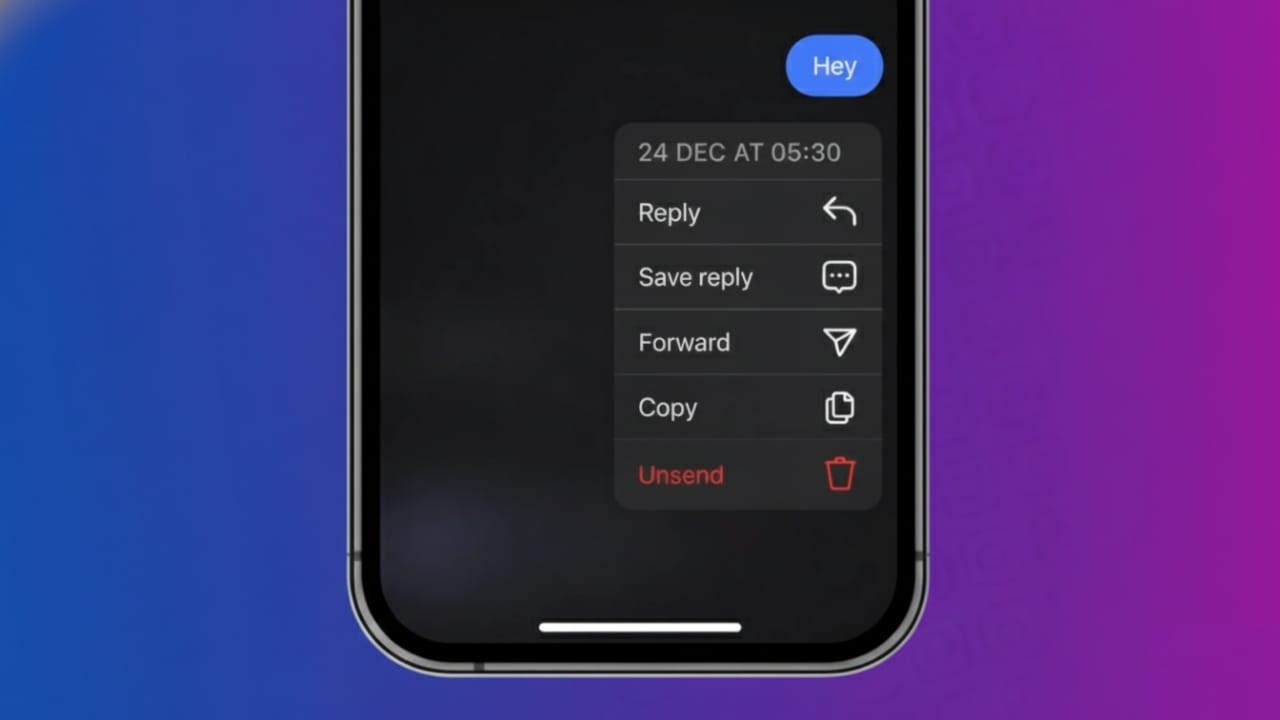
Instagram chats are quick and informal. Because of that, mistakes happen often. You might send a message with a typing error, choose the wrong emoji, or accidentally text the wrong person. To handle such situations, Instagram offers a feature that lets you remove a sent message from a chat.
This article explains how message removal works on Instagram, how to unsend messages step by step, and what you should know before using this option.
Also read: How to Watch Instagram Reels While Talking on WhatsApp
What Really Happens When You Unsend a Message on Instagram
When you use the unsend option, Instagram removes that message from the conversation for both people. It disappears completely from the chat window.
Instagram does not alert the other person that you removed a message. However, if they already opened and read it, unsending will not erase it from their memory.
Steps to Unsend a Message Using the Instagram App
You can remove messages directly from the chat screen on your phone. Just follow these simple steps:
- Open the Instagram app
- Tap the message icon at the top
- Open the chat where the message was sent
- Press and hold the message you want to remove
- Tap Unsend
The message will be removed instantly from the conversation.
Is It Possible to Remove Multiple Messages Together
Instagram does not offer a bulk delete option for messages. Each message must be removed one at a time.
If you want to clear an entire chat, you can delete the conversation from your inbox. Keep in mind, this only removes the chat from your side. The other person will still see it.
Unsend vs Delete Chat: Know the Difference
These two options work differently:
- Unsend removes a specific message for both users
- Delete chat removes the conversation only from your account
If your goal is privacy or correcting a mistake, unsending a message is the better choice.
Can You Unsend Old Instagram Messages
Yes. Instagram allows you to remove messages no matter how old they are. There is no time restriction. As long as the conversation exists, you can unsend messages sent weeks or even months ago.
Important Things to Remember Before Unsending
Before using this feature, keep these points in mind:
- The other person may have already seen the message
- Screenshots or screen recordings cannot be reversed
- Photos, videos, and voice messages are also removed when unsent
- The process works the same on Android and iPhone
- Acting quickly improves your chances of avoiding confusion
Does Instagram Web Support Message Unsend
Instagram’s web version has limited chat features. In many cases, the unsend option may not appear on desktop. If that happens, use the Instagram mobile app to remove the message.
Also read: How to Protect Your Instagram Account From Hackers (Simple & Complete Guide)
Final Words
Instagram’s unsend feature is useful for fixing small mistakes and keeping conversations clean. Whether it’s text, emojis, or media, this option gives you more control over what stays in your chats.
Just remember, once someone has seen a message, removing it cannot undo what they already noticed. Use this feature wisely and enjoy stress-free messaging.

I am a passionate Tech Writer with strong industry experience. I enjoy exploring the latest technological innovations and sharing clear, helpful insights with my audience.”