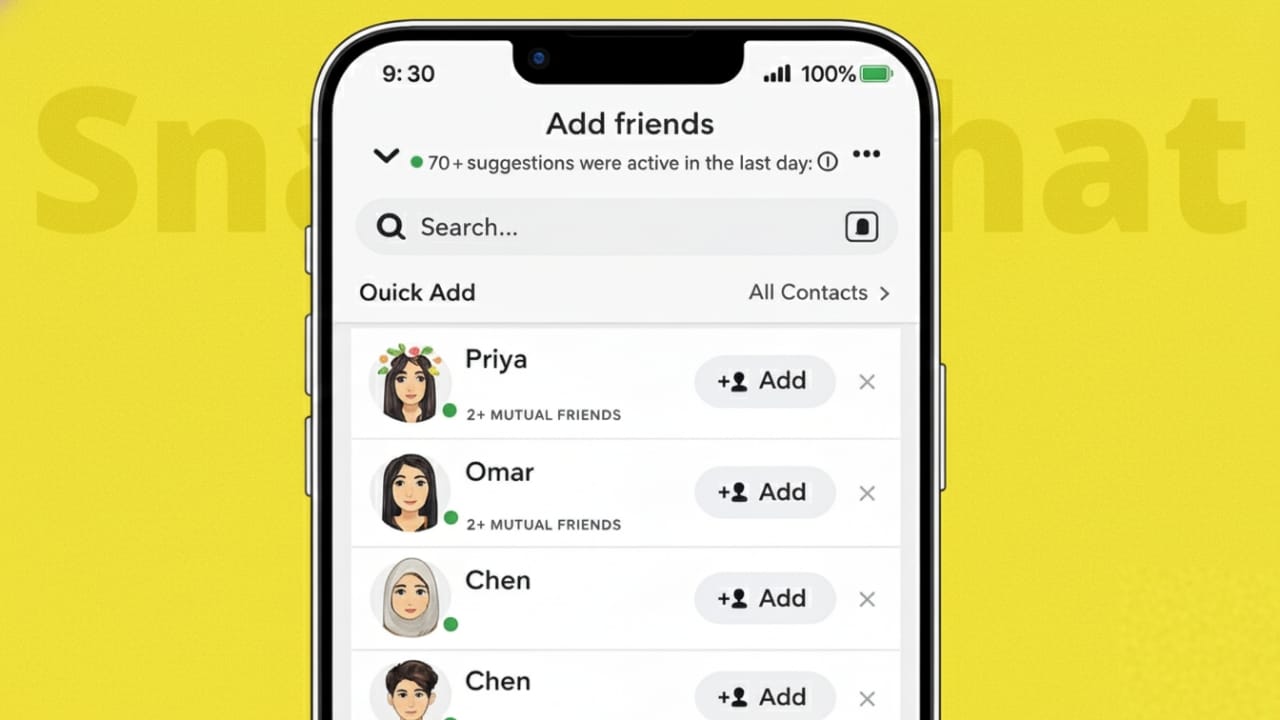
Snapchat works differently from many other social apps. It does not show a public friend list that anyone can browse. Still, the app gives small hints that help you understand whether you and another user have common friends.
Once you know what to look for, these hints are easy to notice. This guide explains what mutual friends are on Snapchat, where you can see them, and why Snapchat keeps this information limited.
Also read: How to Edit Videos Directly in WhatsApp on Android and iPhone
What Does “Mutual Friends” Mean on Snapchat?
Mutual friends are users who are added by both you and another Snapchat account. Snapchat does not reveal their names. Instead, it only shows a number that confirms shared connections exist.
These indicators usually appear when viewing profiles, browsing suggestions, or adding new people.
Ways to Find Mutual Friends on Snapchat
Method 1: Check a User’s Profile
When you open the profile of someone who is not yet your friend, Snapchat may display a short line under their details, such as:
“X+ Mutual Friends”
How to check:
- Open the Snapchat app.
- Search for the person’s username or tap their profile.
- Look below their name and Snap score.
- If you share friends, Snapchat will show a count.
Only the number appears. The actual friend names stay hidden.
Method 2: Use the Quick Add Section
Quick Add is Snapchat’s suggestion feature. It often recommends people based on shared connections.
What to look for:
- If a suggestion includes text like “X+ Mutual Friends,” it means you already share friends.
- This is one of the easiest ways to notice mutual connections without searching.
Method 3: While Sending a Friend Request
When you add someone using their username or Snapcode, Snapchat may show mutual friend information after the request is sent.
This gives you a simple way to understand whether the account is linked to people you already know.
Can You See the Names of Mutual Friends?
No. Snapchat does not allow users to view the names or profiles of mutual friends.
You can only see:
- The total number of shared friends
- Not their identities
There is no setting or option to unlock this information.
Why Snapchat Hides Mutual Friend Names
Snapchat focuses heavily on privacy and one-to-one communication. Unlike platforms that display full friend networks, Snapchat keeps social links mostly private.
This approach helps prevent:
- Unwanted attention or stalking
- Pressure to connect with strangers
- Overexposure of personal friend circles
Important Things to Remember
- Mutual friend counts can change over time.
- If someone adjusts their privacy settings, mutual info may disappear.
- You may not see mutual friends if the other account restricts visibility.
- Sometimes Snapchat takes time to update shared connection data.
Common Questions
Why don’t mutual friends appear for some profiles?
This usually happens because:
- You have no shared friends
- The user has limited privacy settings
- Snapchat has not updated the data yet
Does Snapchat alert someone when I view their profile?
No. Checking someone’s profile does not send any notification.
Also read: How to Make Your Phone Faster Without Installing Any App
Final Thoughts
Snapchat keeps mutual friend details simple and private. While you cannot see who the shared friends are, the number itself can help you judge whether a connection feels familiar.
This limited visibility supports safer interactions and gives users more control over their social space. If privacy matters to you, Snapchat’s approach offers a balanced experience.

I am a passionate Tech Writer with strong industry experience. I enjoy exploring the latest technological innovations and sharing clear, helpful insights with my audience.”